Plant visualisation
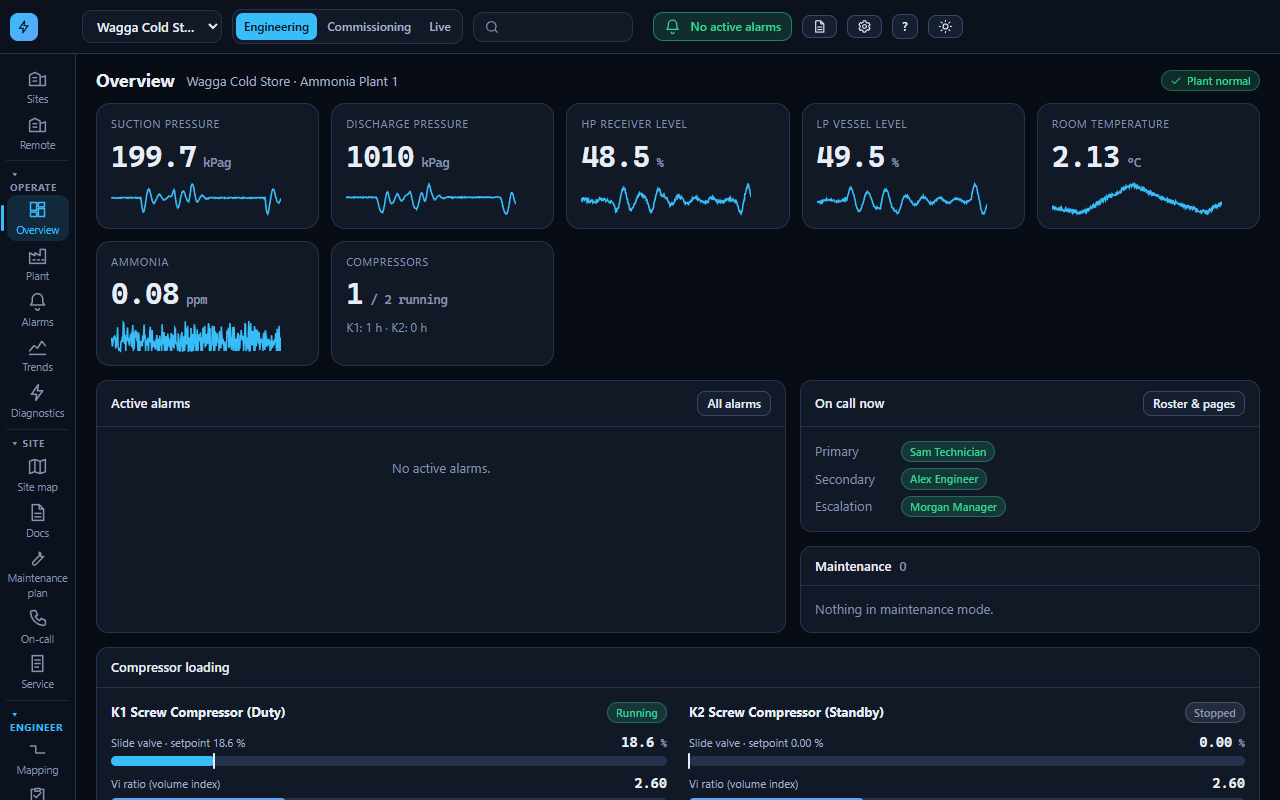
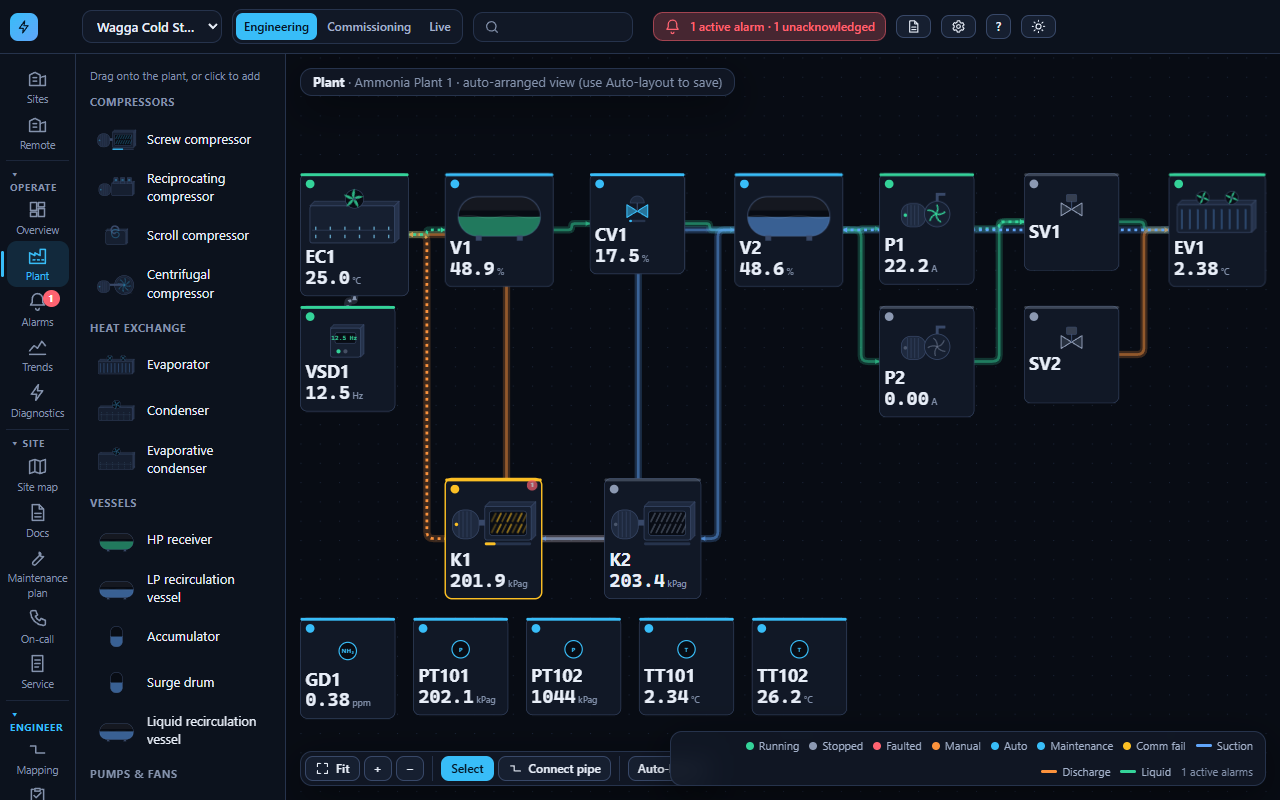
A clear, dark-first plant view with live values, equipment states and a layout you build by dragging components, not by writing screens.
SCADAmate™ monitors your ammonia plant, then goes further: it commissions it, helps you maintain it, records what technicians do and helps you work out why something went wrong. On the desktop in the plantroom and on the phone in the technician's hand.
We're looking for industrial refrigeration facilities to become early pilot sites for SCADAmate. Selected sites may be offered a complimentary initial installation and evaluation period.
Australian facilities first. Any ongoing commercial arrangement comes later, and only once the platform has shown its value on your plant.
Most refrigeration SCADA stops at graphics and alarms. SCADAmate carries on into commissioning, maintenance and the paperwork that follows every callout.
A clear, dark-first plant view with live values, equipment states and a layout you build by dragging components, not by writing screens.
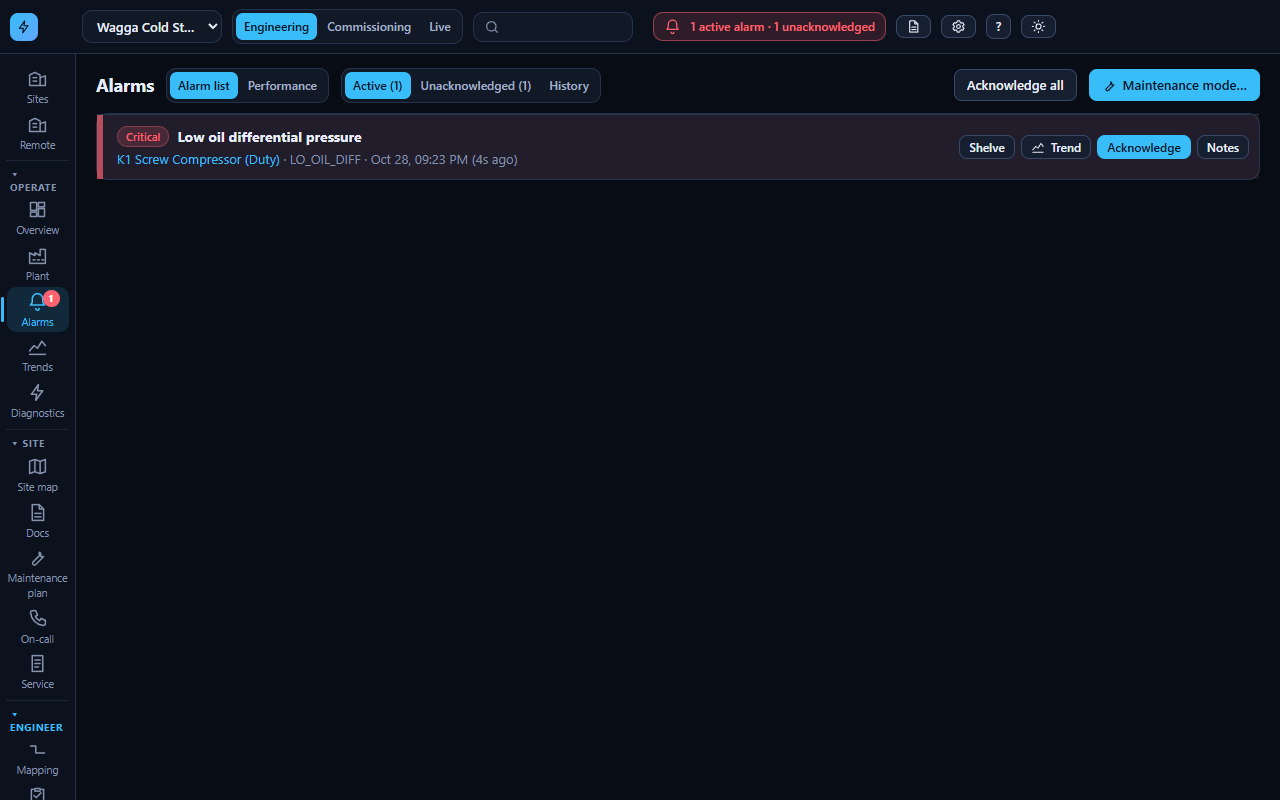
Priorities, on-delays, deadbands, acknowledgement, escalation, shelving with a reason, and phone paging for the on-call technician.
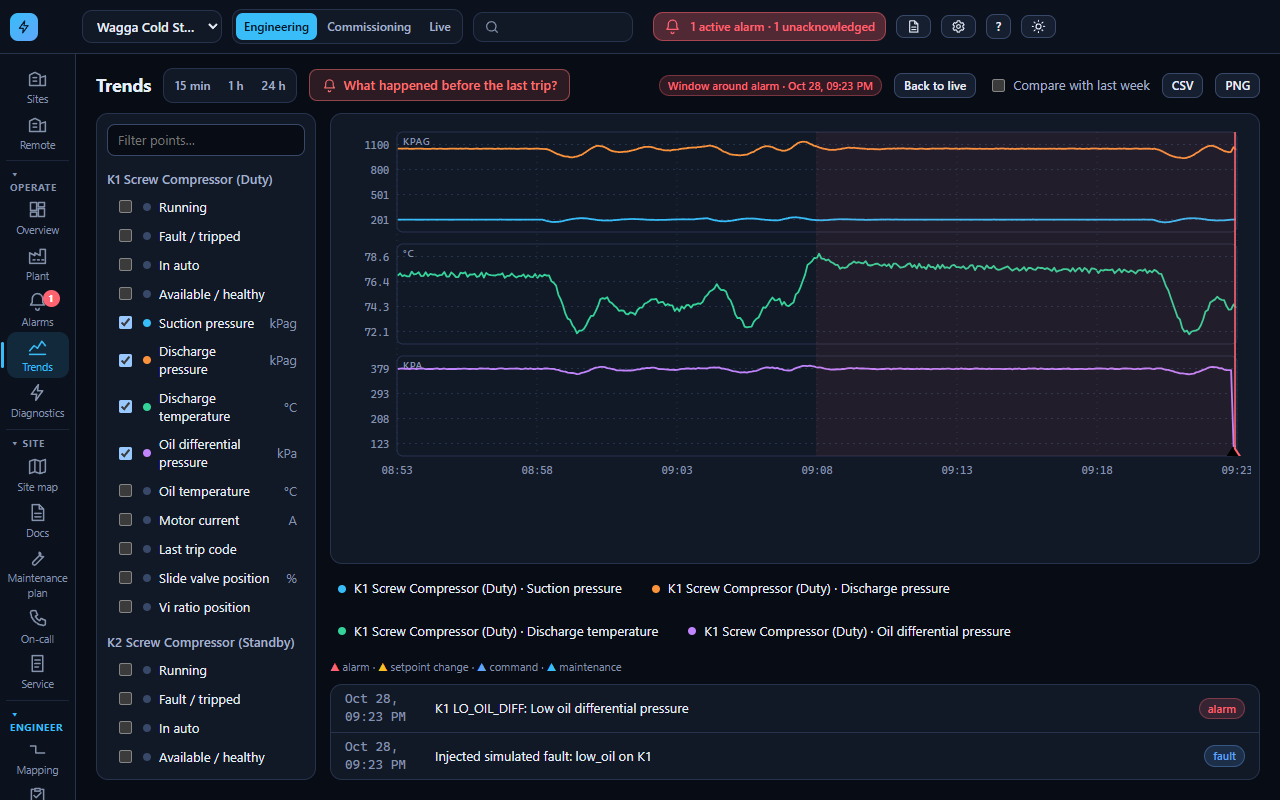
See what the plant did before it tripped, with alarms, commands and setpoint changes marked on the trend.
Equipment pages show the numbers that matter for each machine: oil differential, discharge temperature, slide position, defrost steps, gas level.
Point-by-point checklists with expected values, test results, zero and span checks, a sign-off and a record you can hand over.
Runtime-based and calendar schedules, service sheets with signatures, documents attached to the equipment, and a full audit log.
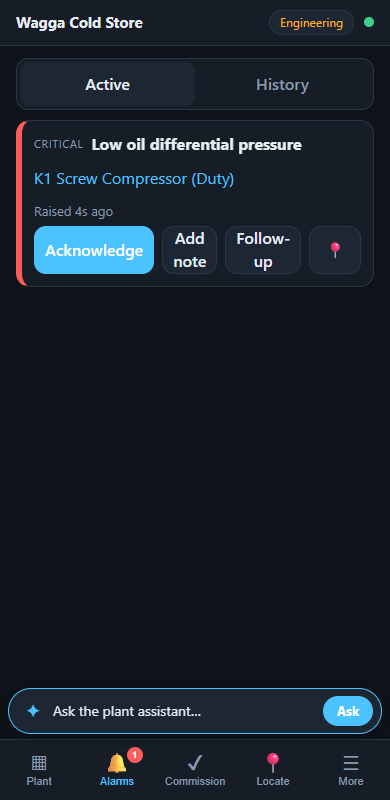
A phone-first app, not a shrunk desktop: acknowledge alarms, find equipment, run a service sheet, leave a handover note.
Optional. Ask why a compressor tripped and an AI assistant reads the same alarms, trends and equipment data you can see. Off by default.
Reach a site from anywhere through an outbound connection from the plant. No inbound firewall holes into your control network.
The demo runs the same simulated PLC, tag engine and alarm engine the product uses, behind the real desktop and phone interfaces. Open it, pick a fault, and watch the plant respond.
Tell us about the facility, the PLC and SCADA you run today and what frustrates you about it.
We talk through your plant, which protocols your PLC speaks and what a safe, read-only connection looks like.
SCADAmate connects next to your existing system. Your PLC and screens stay in charge.
Use it on real shifts. Your feedback shapes the product, and you choose what happens next.
The desktop app, phone app, alarms, trends, commissioning and records are built and running on a full plant simulation. PLC drivers for Modbus TCP, OPC UA and EtherNet/IP are tested against simulators. What a simulation can't show is how it behaves on your plant, and that's what the pilot programme is for. Full status
Try the simulation, then tell us about your site. If it's a fit, we'll set up an evaluation alongside your current system.